



It’s normal to build your security stack one need at a time. When a new threat appears or a new regulation comes in, you add a tool to cover it. Over time, though, this can lead to a problem known as security tool sprawl. It’s what happens when your stack grows faster than the connections between your tools.
In this guide, we’ll look at what security tool sprawl is, why it happens and what it costs. And crucially, we’ll show you how to reduce it without replacing the tools you already have. It’s written for in-house security teams and for Managed Security Service Providers (MSSPs) that run security for lots of clients.
Key Takeaways on Security Tool Sprawl
- Security tool sprawl happens when a team adds security tools faster than it can connect and manage them.
- Overlapping tools waste budget, while disconnected tools slow down the response to new threats.
- Consolidating vendors can cut cost and complexity, but the tools you keep still need to work together.
- For an MSSP, sprawl grows with every new client, because each client brings its own tools.
What Is Security Tool Sprawl?
Security tool sprawl is the problem of running more security tools than your team can connect and manage. It shows up in a few ways. Some tools overlap, like two endpoint agents running on the same laptops. Some are paid for but rarely used. Others do a different job but can’t pass what they find to the tools that need it.
Each tool in a disconnected stack can still do its job well. A threat intelligence platform can report that attackers are exploiting a flaw in a virtual private network (VPN) gateway. A vulnerability scanner can show which of your gateways run the affected version. But neither one can tell the firewall to block the traffic, so the exposure stays open until someone on your team brings those findings together.
Tool Sprawl vs Vendor Sprawl
Tool sprawl is about the tools themselves, and vendor sprawl is about how many companies supply them. The two often go together, but reducing one doesn’t always reduce the other. If you buy several products from one vendor, your supplier list gets shorter, but those products can still overlap or work separately.
Every vendor also brings a contract, a renewal date, a security review and access to your environment. Some regulators ask you to keep a record of those contracts. In the EU, for example, the Digital Operational Resilience Act (DORA) requires a register of every contract for technology services from outside providers. Banks, insurers and other financial firms must keep it up to date and report on it at least once a year. Security tools bought as a service belong on that register too.
What’s in a Security Stack?
A security stack is the set of tools a security team uses to spot threats, find weaknesses, keep track of its assets and act on what it finds. Most stacks hold dozens of tools. Gartner’s figure is “45 security tools that often work in silos.”
What matters for your team is which of those tools can act on what the others find. Each one knows something different, and only some of them can take action:
| Tool | What it knows | What it can do |
|---|---|---|
| Threat intelligence platform | Which threats, attackers and vulnerabilities are active | Share indicators, like malicious domains, with other tools |
| Vulnerability scanner | Which of your systems have known vulnerabilities | Report findings for someone to fix |
| External attack surface management (EASM) | Which of your assets are exposed to the internet, including ones nobody recorded | Report exposed assets |
| Asset inventory | What you own and who’s responsible for it | Tell people and tools who owns each asset |
| Endpoint detection and response (EDR) | What runs on your laptops and servers | Isolate a device or stop a process |
| Firewall or web application firewall (WAF) | Which traffic reaches your network and applications | Block an IP address, a domain or an attack pattern |
| Identity provider | Who can sign in, and to what | Reset a password, end sessions or disable an account |
| Security information and event management (SIEM) | Logs and alerts from across your environment | Raise an alert when activity matches a rule |
| Ticketing system | Who’s working on which fix | Assign a fix and track it |
The tools that know about a threat are often different from the tools that can stop it.
What Causes Security Tool Sprawl?
Security tool sprawl grows as your business and its risks change. Common examples include:
- A new regulation or audit requirement arrives, and a new tool is the fastest way to show you meet it.
- A move to the cloud brings tools built for cloud environments, like cloud security posture management (CSPM).
- An incident exposes a gap, and the response includes a tool to close it.
- An acquisition brings in another company’s stack, and merging the two can take years.
- A contract renews on its own, so a tool stays in the stack after the people who chose it have moved on.
AI is adding to the list. Many security tools now come with their own AI assistant or agent, and each one needs access to data and to other tools. Our guide to AI agent security covers how to manage that access.
What Does Security Tool Sprawl Cost Your Team?
Security tool sprawl costs money, effort and time. The first two are the easiest to see:
- licenses for tools that do the same job
- integrations that someone has to build and maintain
- training for every console your analysts use
- duplicate alerts that add to alert fatigue
Time is harder to see, because it never shows up on an invoice. In the VPN example, someone still has to find who owns each affected gateway, open a ticket for the network team and wait for the firewall change. The flaw stays open through every one of those steps.
Fixing a vulnerability takes time even in a well-connected stack. In Verizon’s 2026 Data Breach Investigations Report, organizations fully fixed only 26% of critical vulnerabilities in 2025. Verizon counts a vulnerability as critical when it’s on the Known Exploited Vulnerabilities catalog from the US Cybersecurity and Infrastructure Security Agency (CISA). The median time to a full fix rose to 43 days. Sprawl isn’t the only reason for that wait, but every hand-off between tools adds to it.
We’ve coined a metric for this time, Mean Time to Reduce Exploitable Risk (MTRER). It has two parts. Blind Time runs from the moment an attacker could reach an exposure until you know about it, and Action Time runs from then until it’s closed. Sprawl adds to Blind Time when the warning and the affected asset sit in different tools. It adds to Action Time when the fix belongs to yet another tool and team.
Does Security Tool Consolidation Reduce Risk?
Security tool consolidation can reduce risk, as long as the tools you keep are connected. Teams have three ways to manage a sprawling stack. They can consolidate onto fewer vendors, keep the best tool for each job or connect the tools they already have. Each route affects your costs, your timeline and how much of your stack you replace.
Consolidating Onto a Platform
Consolidating onto a platform means getting your firewall, EDR, cloud security and most of your other security tools from one vendor. You’ll also see this called platformization. You’d have fewer contracts, consoles and integrations to manage, and the tools would share their data.
The move takes time, because each tool you retire has to be replaced and its data carried over. Some parts of a platform may be weaker than the specialist tools they replace. It can also become harder to switch vendors later.
Keeping Best-of-Breed Tools
Best-of-breed means choosing the strongest tool for each job, whoever makes it. You get the depth of each specialist tool, and you avoid a large migration. The work of connecting those tools stays with your team, so the gaps between them can grow with every tool you add.
Connecting the Tools You Keep
Whichever route you choose, you’ll still need the tools you keep to share findings and act on them together. Security orchestration, automation and response (SOAR) tools have done this for alerts since the mid-2010s. Our guide to security automation explains how SOAR works and where it fits.
The same connections can work on exposures, before there’s any alert. In the VPN example, the threat intelligence platform, the scanner and the firewall would act on the flaw together as soon as it’s reported. Your team decides which of those actions run on their own and which wait for approval.
Choosing the Right Route for Your Stack
The right approach depends on how much your tools overlap, how well each one does its job and who owns them:
- If many of your tools overlap and their contracts renew soon, consolidating onto fewer vendors can cut costs at the next renewal.
- If a few specialist tools do their jobs better than any platform module, keeping them is the stronger choice.
- If you run security for clients as an MSSP, each client chose its own tools, so connecting them is often the most practical route.
How to Reduce Security Tool Sprawl
Reducing security tool sprawl starts with a clear picture of what each tool does. The five steps below work whether or not you plan to consolidate.
1. Mapping What Each Tool Knows and Can Do
List every security tool you run, along with what it knows and what it can do. The stack table above works as a template. Add who owns each tool and when its contract renews, because those two details decide what you can change and when.
2. Finding Where Tools Overlap
Look for tools that do the same job on the same systems. Those are your candidates to retire when their contracts come up for renewal. Before you retire one, check what it can do that the other can’t, so you don’t lose an action your team relies on.
Write down why you kept or retired each tool. The next review can then start from that reasoning.
3. Following One Exposure Through Your Stack
Pick a recent exposure, like an exploited flaw in a VPN gateway, and trace how it moved through your tools and teams. Note each hand-off, who made it and how long it took. If you run a Continuous Threat Exposure Management (CTEM) program, an exposure from its last cycle is a good place to start. If you’re an MSSP, trace the exposure for one client and then check whether the same steps apply to the others.
4. Connecting Your Slowest Hand-Offs First
Start with the hand-offs that took longest in step 3. Often that means linking threat intelligence to your exposure data. It also means linking both of them to the tools that can act, like the firewall, the EDR and the identity provider.
Begin with low-risk actions, like blocking a known malicious domain. You can add higher-impact actions, like disabling an account, as your team gets comfortable with them.
5. Measuring How Long Exposures Stay Open
Track how long the exposures you traced in step 3 stay open, before and after you connect the tools. That’s the Blind Time and Action Time described earlier in this guide. Your tool count may come down too, but this is the number that shows whether your risk has gone down.
Security Tool Sprawl for MSSPs
If you run security for clients as an MSSP or a managed detection and response (MDR) provider, sprawl affects you in two places. Your own service runs on a set of tools, and every client brings a stack of its own.
Managing a Security Stack for Every Client
Your clients own their tools and pay for them under their own contracts. You can recommend retiring a tool that overlaps with another, but they make that call and set the timing.
Your analysts work across all of those stacks. On one shift, an analyst might check alerts from three different EDR products and make firewall changes in two different consoles. Every new client adds more consoles to learn, more alert rules to tune and more reports to build.
If your clients include banks or insurers in the EU, your service is one of the technology contracts on their DORA register. It goes through the same reviews as their other technology providers.
Delivering Single-Tenant Tools as a Service
Many security tools were built for a single organization. When you deliver them as a service, you often run a separate instance or configuration for each client. A rule change that’s quick in one environment then has to be repeated in every other one that uses the same tool. Multi-tenant tools, built to serve many organizations at once with each one’s data kept separate, cut out much of that repetition.
Turning Hand Work Into One Workflow
Sprawl also shows up in the checks your analysts repeat. Checking a suspicious mobile app, for example, can mean running it through three analysis tools and comparing the results by hand. That can take an analyst hours, and the same check comes up for client after client.
Building the check once as a workflow lets it run the same way for every client. The same approach works for actions in client environments, like blocking a domain through each client’s own firewall and under its approval rules.
Where Zynap Fits
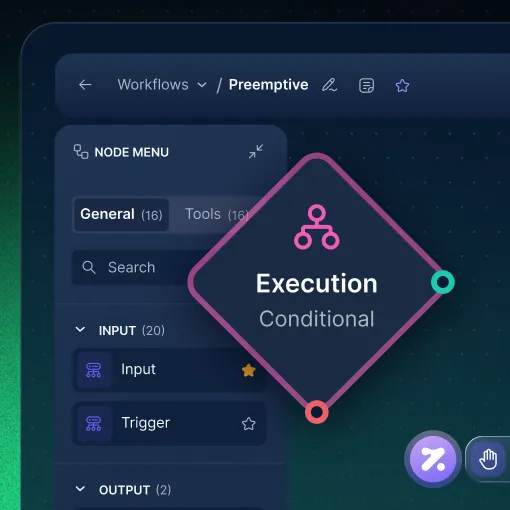
Our preemptive security automation platform helps with security tool sprawl in two ways. It brings threat intelligence, external attack surface management and exposure testing into one platform, so you don’t need a separate console for each. The tools that take action, like your firewall, EDR and identity provider, stay where they are, and Zynap acts through them.
With Zynap, you can:
- See threat intelligence, your internet-facing assets and their vulnerabilities in one place
- Test which exposures an attacker could use, with offensive workflows and our offensive agent
- Act through your existing EDR, firewall and identity tools, with a record of every action
- Build a workflow once and reuse it across teams or clients
- Add approval steps in front of the actions your team wants to review first
MSSPs get the same capabilities for every client, with each client kept in its own organization. NINA, our multi-agent engine, helps your team build and run these workflows from a plain-language description.
A large European retail bank uses Zynap to find and fix its exposures across the security tools it already had. In a September 2026 report, Gartner noted that the platform “reduced manual triage and shrank the window of risk exposure.” The bank was also “able to scale its security posture without increased headcount or replacing what was in place.”
At TRC, an MSSP in Madrid, analysts used to check every suspicious mobile app by hand across three analysis tools. Each check took hours. The team turned it into a Zynap workflow, and it now runs in 17 minutes for every client.
Learn how Zynap can help you reduce security tool sprawl by booking a demo.